
How to Track a Discontinued Program That Cannot Be Found on the Broadcaster’s Website Using Production and Distribution Information
Opening a streaming app like Wavve or TVING to re-watch a classic K-Drama or comedy show, only to discover that the entire series has suddenly disappeared (VOD 중단), is a common disappointment for viewers in Korea. Search bars return empty results, and old links lead straight to error pages.
When a show vanishes, many viewers assume that it has been deleted permanently from the internet. In frustration, some fall into dangerous web traps, resorting to unauthorized streaming sites that host broken video players and malicious ad links.
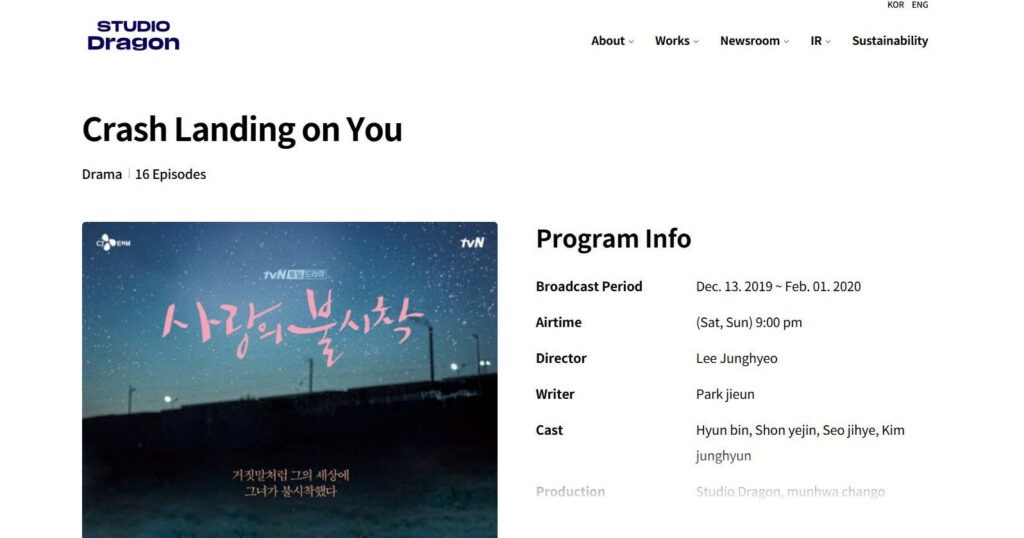
However, TV networks are usually just temporary airing platforms; long-term intellectual property rights belong to independent production studios (제작사). This guide shows you how to use production company metadata to track down legal digital copies of discontinued TV programs.
Why TV channels remove old shows and who actually holds the rights
To find a missing television show, you must first understand why programs vanish from broadcast websites and who controls their long-term distribution.
Broadcasters versus production studios (제작사)
Television networks like KBS, MBC, SBS, and tvN act primarily as broadcast platforms. For many modern dramas, networks do not own the master intellectual property; they merely purchase exclusive broadcast and streaming licenses for a fixed period (typically three to five years).
When these licensing contracts expire, the streaming rights revert entirely to the independent production studio (제작사) that filmed the series, such as Studio Dragon, Chorokbaem Media, or Pan Entertainment.
Common reasons for VOD purges
Aside from standard contract expirations, Korean TV programs are frequently purged from streaming platforms for two specific reasons:
- BGM music copyright expiration: Licensing contracts for background music used during the original TV broadcast often expire, forcing platforms to take down full-episode replays.
- Cast member controversies: If a lead actor becomes involved in a legal or social controversy, networks routinely purge the entire show (다시보기 중단) from their active streaming catalogs.
How to locate production studio credits in ending sequences or Namuwiki
Once a show is removed from a broadcaster’s primary app, your next step is identifying the exact corporate name of the production studio.
Reading “Produced by” lines in closing credits
If you have access to a saved video clip, old screen recording, or short promotional video of the show, fast-forward to the very end. Korean ending credit sequences (엔딩 크레딧) display standardized production tags:
- 기획: (Planned by) — Indicates the broadcasting network department.
- 제작: (Produced by) — Identifies the actual production studio that owns the master rights.
Write down the exact Korean company name listed next to the 제작: tag.
Checking production companies in Namuwiki infoboxes
If you cannot view the closing credits, search the show’s title on Namuwiki (나무위키). Locate the standardized information box (정보 상자) at the top-right corner of the page. Scroll down to the field labeled 제작사 (Production Company). This entry lists the official corporate entity that created the series.
Checking secondary digital stores and official archives for discontinued TV shows
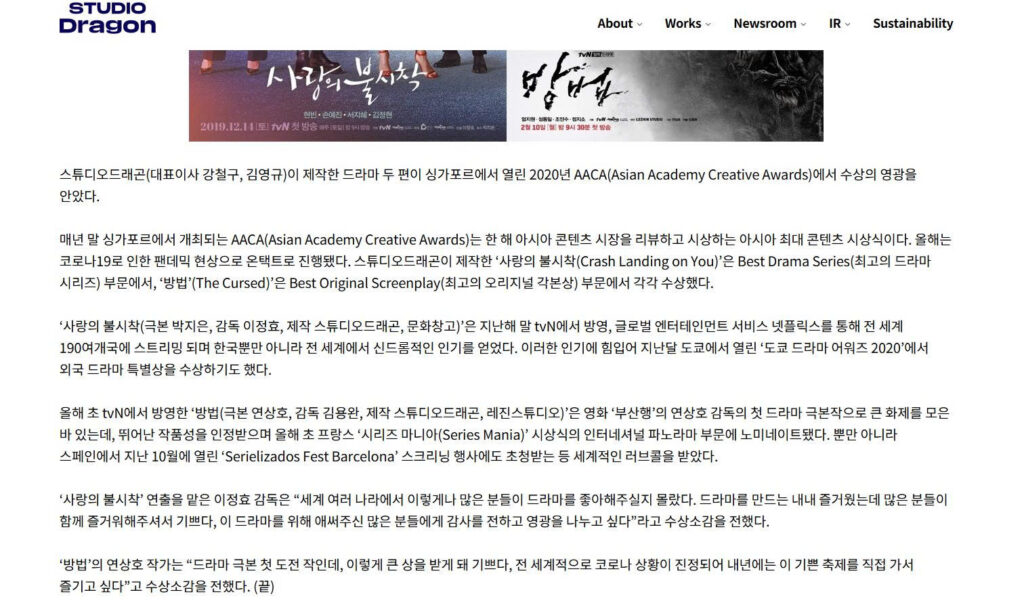
Once you have identified the production studio, you can bypass the broadcaster’s website and search secondary digital vaults.
Naver Series On (네이버 시리즈온): Korea’s TVOD vault
While subscription streaming apps (SVOD) like Wavve and TVING purge expired titles, transactional video-on-demand (TVOD) platforms operate differently. Naver Series On (네이버 시리즈온) allows users to rent or permanently purchase individual TV episodes.
Production studios frequently maintain paid digital download listings on Naver Series On long after their streaming contracts with Wavve or TVING have ended. Searching the production company name or original drama title on Naver Series On often reveals active purchase links.
KMDb and official broadcaster YouTube archives
For older classic series, check the Korean Film Archive (KMDb – 한국영상자료원), which maintains a public digital archive of historical Korean television films. Additionally, major networks run official nostalgia channels on YouTube (such as KBS 같이삽시다 or MBC 옛능), where production studios authorize the upload of full classic episodes for ad-supported viewing.
4. 4 dangerous dead ends to avoid when searching for missing shows
Searching for discontinued programs can lead to dead ends and security risks. Avoid these four common traps:
- Dead end 1: Malware on illegal streaming sites (불법 다시보기 사이트): Never use unauthorized piracy sites (such as clones of Noonoo TV). These sites use the titles of discontinued shows as bait to trick users into clicking fake play buttons that install mobile malware or redirect to illegal gambling portals.
- Dead end 2: Fake Google Drive cloud links: Avoid buying cloud folder access or Google Drive links sold on unofficial blogs. These unauthorized folders violate copyright laws and are routinely wiped by cloud providers, causing you to lose your money.
- Dead end 3: Trusting outdated streaming tags on wiki pages: Do not assume that streaming badges on IMDb or Namuwiki are current. These tags reflect past licensing deals and are rarely updated when a show is purged from a platform.
- Dead end 4: Re-contacting TV broadcaster customer service: Calling a TV network’s customer support line is ineffective. Network support representatives only manage their current active streaming catalog; they do not track rights that have reverted to independent studios.